The digital creative studio for music teachers

Every lesson is a note. Melodia turns them into music.

Schedules, check-ins, lesson counts and invoices are handled quietly behind the scenes — while students and parents follow the Journey of growth together, week after week.

  • No cut of your lesson fees
  • Always free for families
  • Opens on any phone — no app store
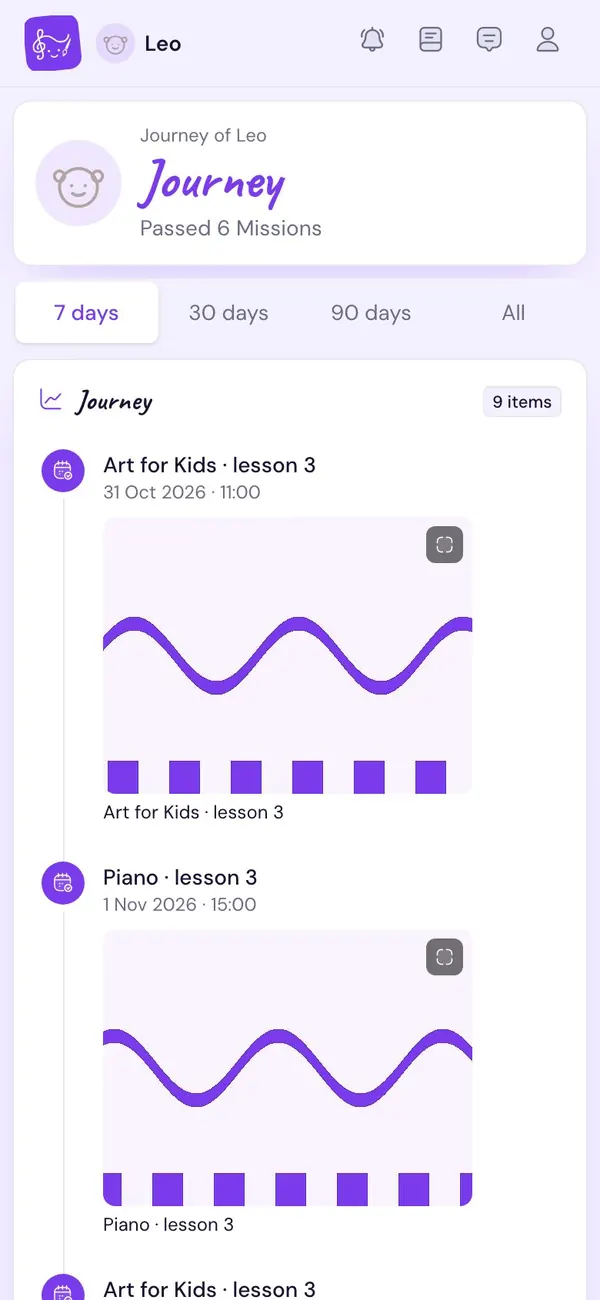
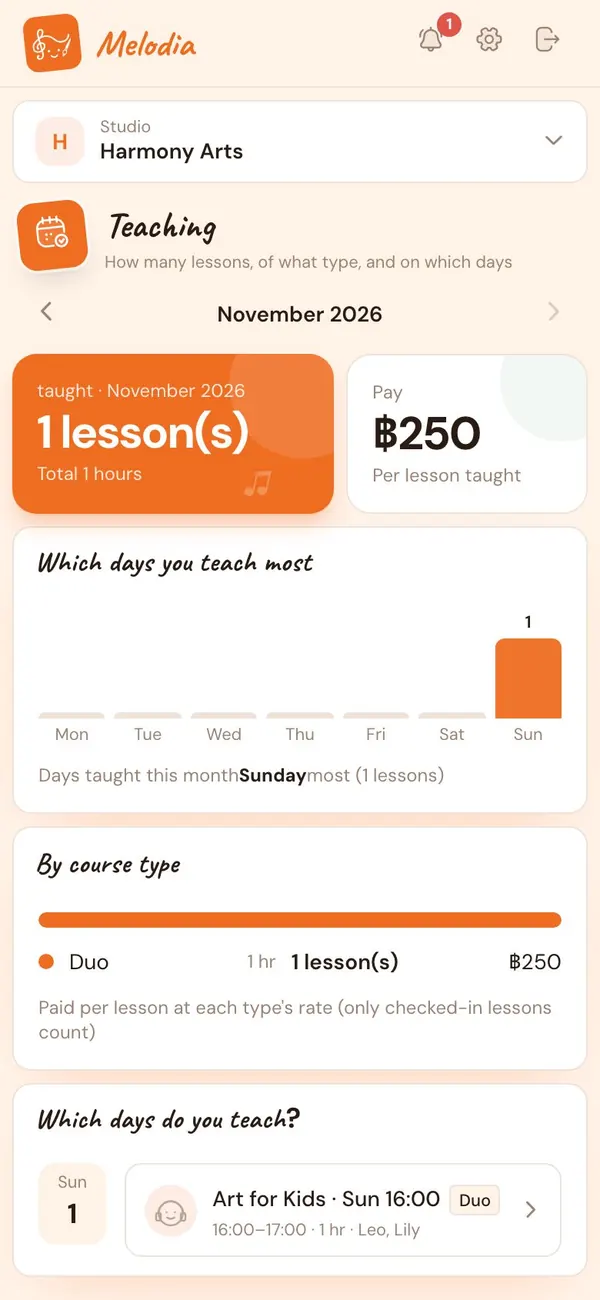
Teacher app — a student's Journey inside the studio
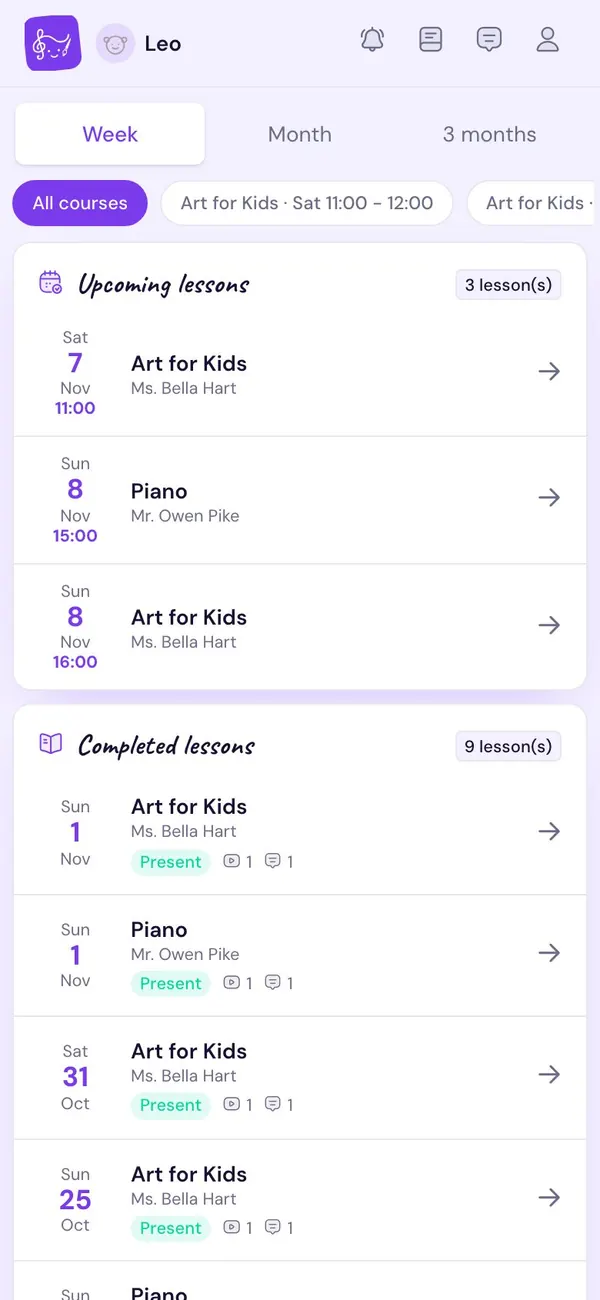
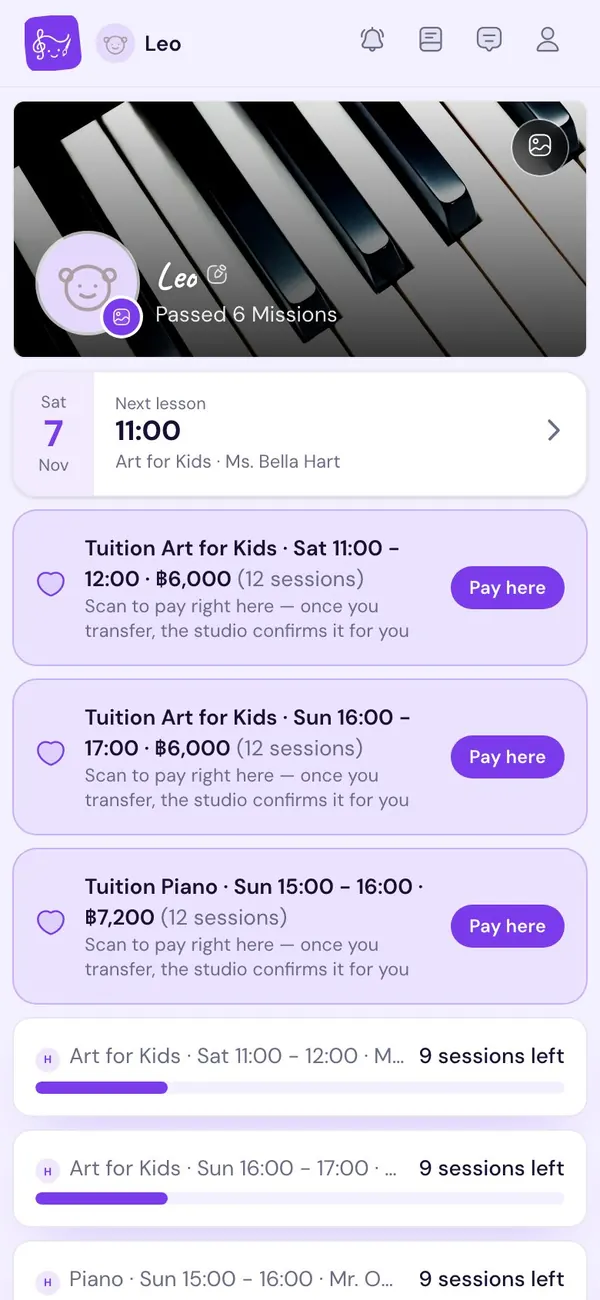
Student / parent app — home screen

Why Melodia

Music teachers should be with music, not paperwork

The familiar chaos

  • Your timetable lives in six chat groups
  • Lessons tallied in a notebook — and argued over
  • “How is my child doing, teacher?”
  • Awkward reminders about unpaid fees
  • Practice videos lost in the camera roll

With Melodia

  • One calendar for every lesson, room and teacher
  • Two-tap check-in, lessons counted for you
  • Parents open the Journey themselves
  • Bills, receipts and payment links issued automatically
  • Every clip and note lined up on one path

Features

A brilliant assistant that stays invisible

The admin surfaces only when a human is needed. Melodia quietly takes care of the rest.

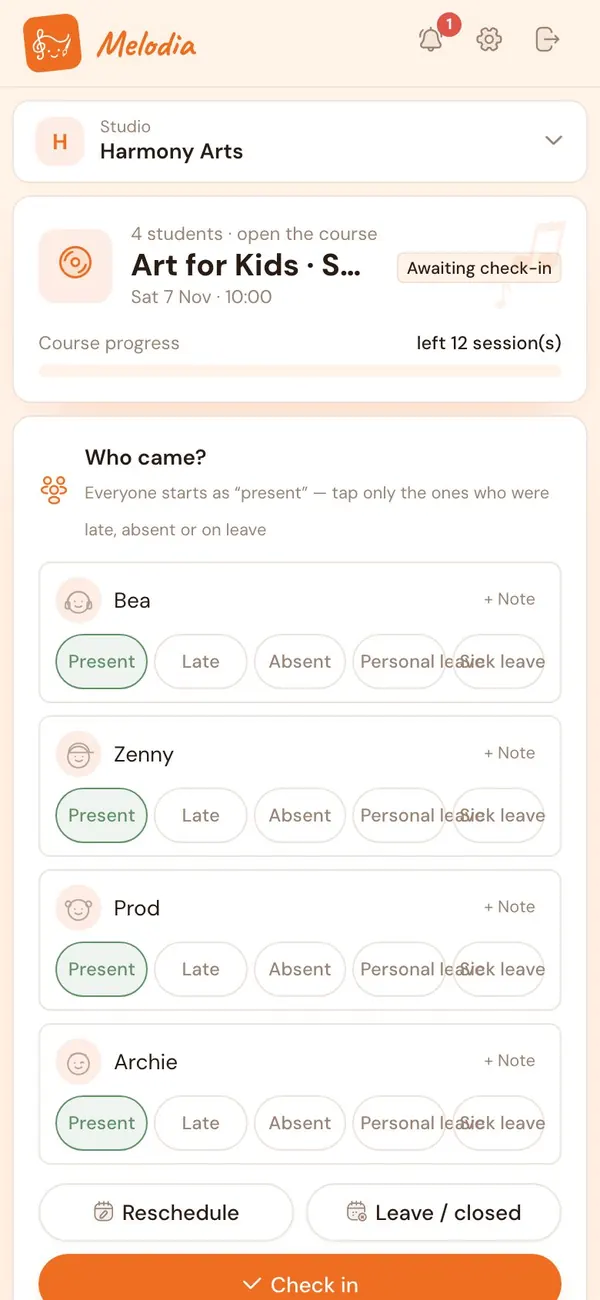
Schedule · Check-in

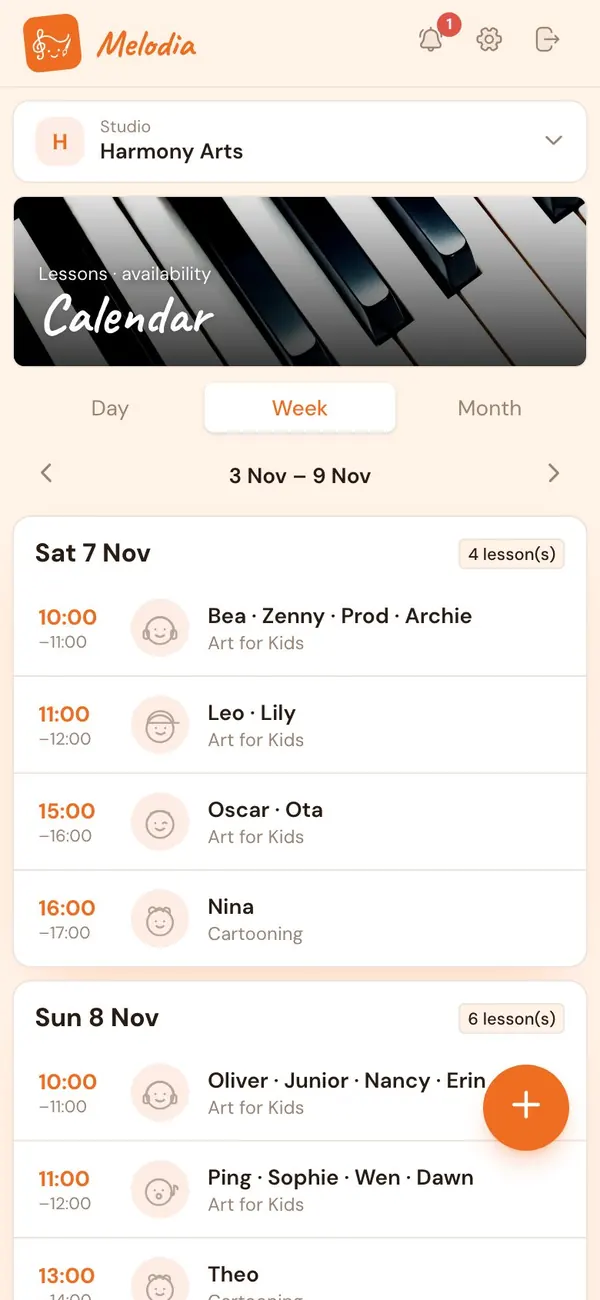
Your whole week on one screen

Open a course once and every lesson is created ahead. Check each student in as present, late, absent or on leave — remaining lessons update instantly.

  • Reschedule, excuse, cancel or cover in a single tap
  • Fixed weekly slots, or let families book their own time
  • Lessons not yet checked in show up as gentle to-dos
Your whole week on one screen — 1
Your whole week on one screen — 2

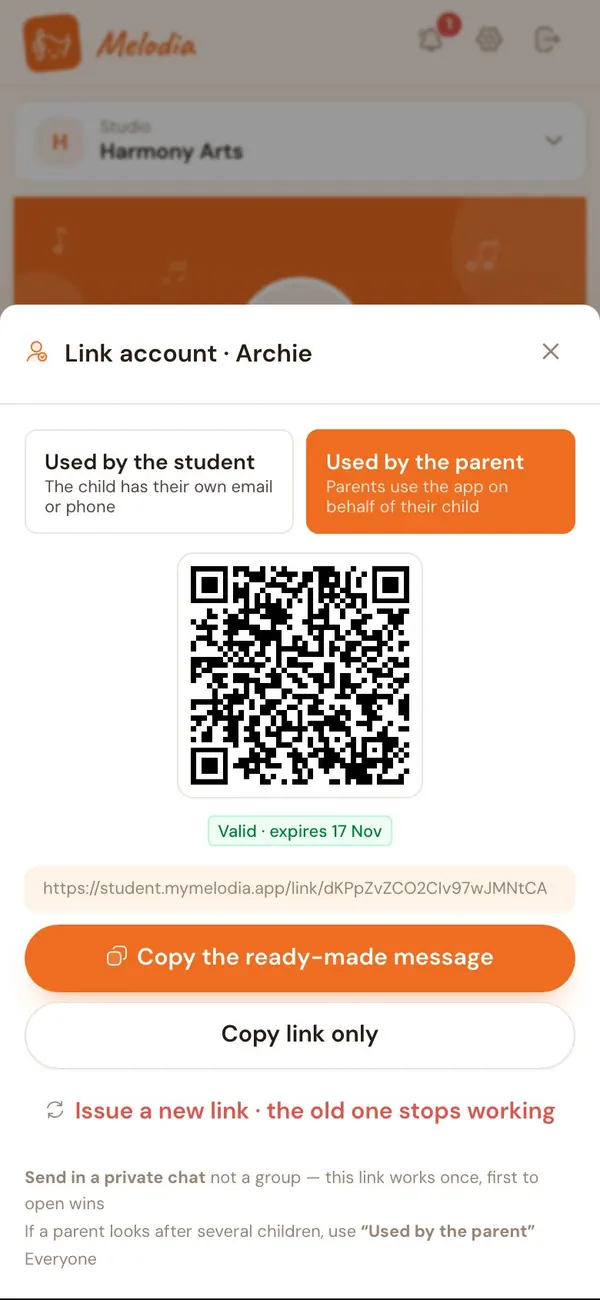
Family invites

One link brings the whole family in

Share a link or QR code over LINE. Parents tap it and are connected to their child instantly — no approval queue, no extra codes.

  • Parents use it for young kids; older kids get their own login
  • One child can learn at several studios, data never mixes
  • Not invited yet? Lessons run as normal
One link brings the whole family in — 1

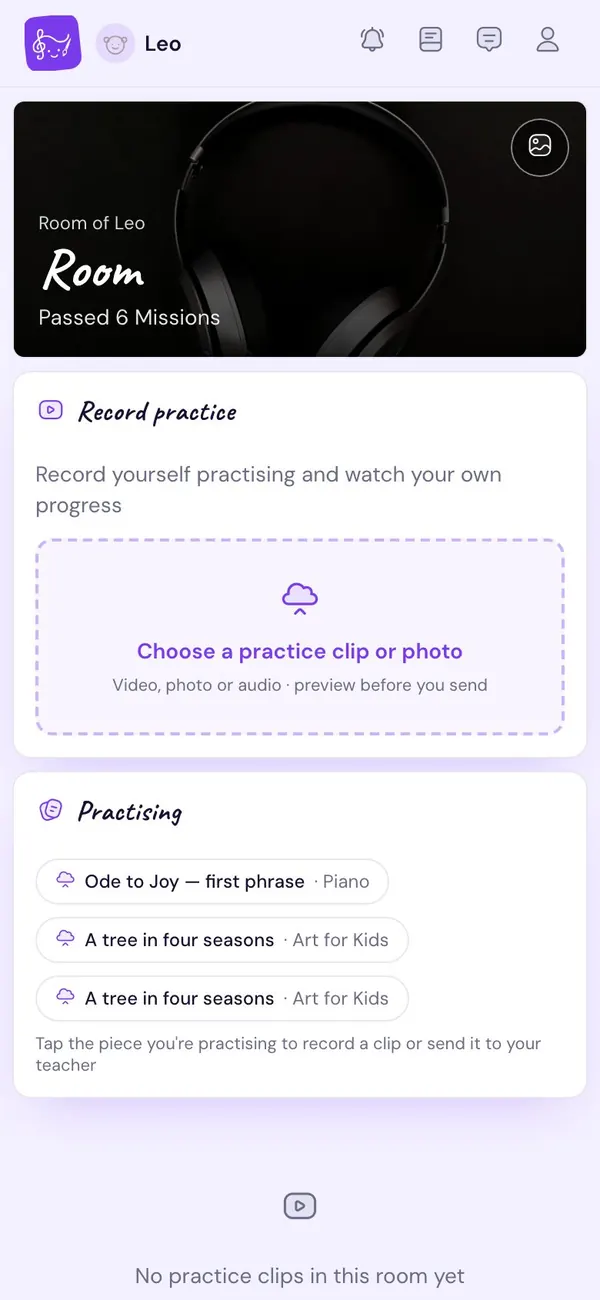
Practice room

Practice at home, seen by the teacher

Students record practice clips, hand in Missions and watch their practice streak grow. Teachers reply, and the best moments get pinned to the Journey.

  • Photos, video and audio in one place
  • Missions and assignments tied to each subject
  • A fun room of their own — kids come back by choice
Practice at home, seen by the teacher — 1
Practice at home, seen by the teacher — 2

Money

Paid on time, without chasing

Enrol a student and the bill is written for you. Send one payment link for the whole month, then issue invoices and receipts in a tap.

  • Melodia never touches your money — parents pay you directly
  • Contract-teacher pay calculated from lessons actually taught
  • Monthly reports with Excel export
Paid on time, without chasing — 1

Teacher page

Your storefront, with live availability

A profile, the subjects you teach and your open slots — one link to share anywhere. New parents see a professional from the very first visit.

  • A clean link + QR for your bio
  • Availability follows your real timetable
  • Families can self-book (on/off per course)
Your storefront, with live availability — 1

And plenty more working behind the scenes

  • Automatic reminders In-app, push and LINE
  • Lesson notes A quick note the family can read
  • Renew · transfer Same price, history intact
  • Multiple teachers Contract teachers never see revenue
  • Course reports Attendance, Missions, work
  • Two languages Thai / English for everyone
  • Multiple studios One teacher, many places
  • Your studio's data Clear permissions, exportable

How it works

Each course is a phrase that keeps rising

From the day you open a course to the day a parent taps “continue” — every beat connects on its own.

  1. Teacher Open a course Pick a subject, time and lesson count Melodia handlesCreates every lesson + Mission ahead
  2. Teacher Send the family a link QR or link over LINE Melodia handlesConnects parent and child accounts
  3. Teacher Teach + check in Present / late / absent in two taps Melodia handlesCounts lessons, bills, notifies home
  4. Family Practise at home Record a clip, hand in a Mission Melodia handlesFiles it in the practice room, pings you
  5. Family See the growth Open the Journey any time Melodia handlesLines up photos, clips and notes
  6. Family Keep learning “2 lessons left — keep going?” Melodia handlesRenews at the same price, no gaps

Back to the first bar — a little better every time

One set of data, many windows

The student owns the Journey. Teachers, parents and studio admins see the same story from their own angle.

The student's Journey
Teacher Teach, check in, media, notes
Student Practice room, Missions, booking
Parent Progress, leave requests, payment
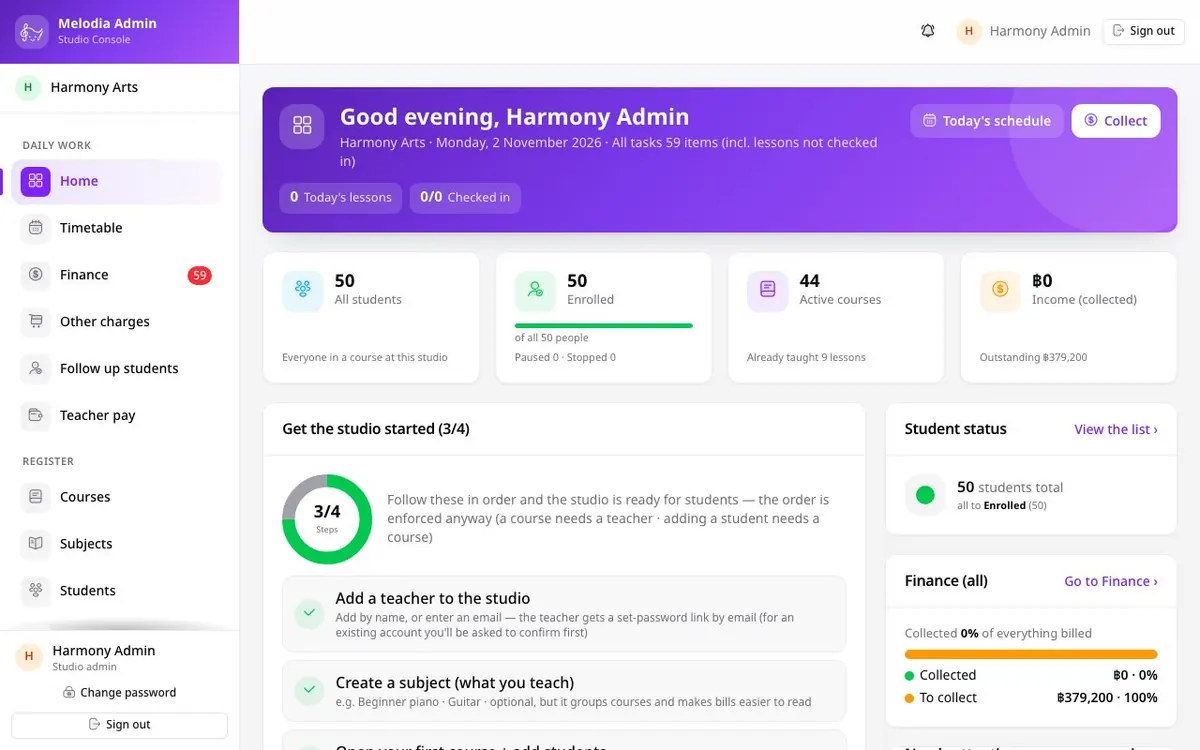
Studio admin Registry, timetable, money — never the child's content

The heart of Melodia

Kids keep learning when they can see how far they've come

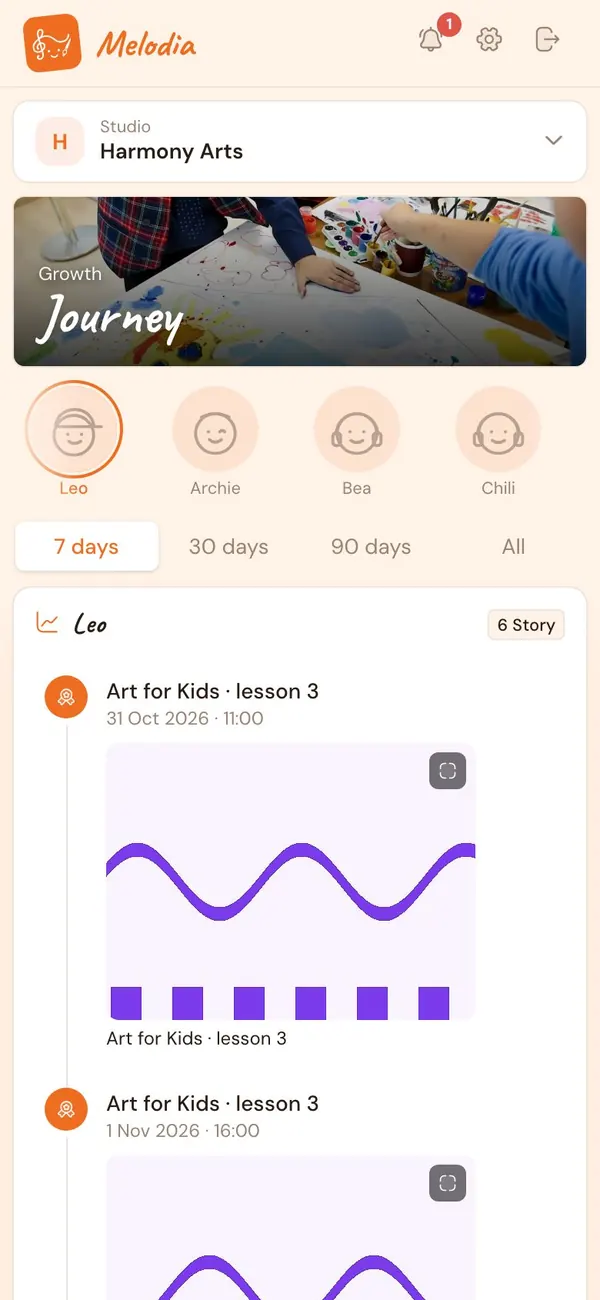
The Journey is an unbroken line of growth — the first lesson, first song, first practice clip, all the way to the first stage. Teacher, parents and child see it together.

  1. Week 1 First lesson
  2. Week 3 C major scale, mastered
  3. Week 6 First practice clip from home
  4. Week 10 Four songs and counting
  5. Week 16 First time on stage
A student's Journey — a timeline of lessons and work

Three people, three feelings

  • Teacher A calm morning café

    Quiet, tidy, with a capable assistant minding the back office

  • Student My fun room

    Missions, practice streaks and work worth showing off

  • Parent A window of pride

    Real progress you can see, worth every baht

Who it's for

From solo teachers to music schools

Private teachers

Teaching at home, at students' homes or online — with the system of a big school and no admin to hire.

  • The “private teacher” setup is ready in 5 minutes
  • Collect fees and issue receipts yourself
  • A teacher page to attract new students

Studios · music schools

Many teachers, many rooms, a front desk — everyone sees only what they need.

  • A desktop console for studio admins
  • Contract-teacher pay calculated for you
  • Switch features on or off to match how you work

Students · parents

Always free — timetable, leave requests, practice and your child's progress in one place.

  • One parent can look after several children
  • Learning at several studios, still one app
  • No ads, no upselling
Studio admin console — the daily dashboard

What we stand for

Invisible business, visible care

  • No transaction fees

    Lesson fees go straight from parents to teachers. Melodia never touches a cent.

  • Free for families, always

    We only charge studios — no sales pitch on the child's side.

  • No app to install

    Runs in the browser, adds to the home screen, works on iPhone and Android.

  • Your data stays yours

    Role-based access, teacher-only private notes, export any time.

Pricing

Start free, grow with your studio

Priced by studio size — not by storage, and never a cut of your lesson fees.

Launch period — every plan is free. Prices below apply after launch.

  • Free

    Just getting started

    ฿0 Free forever
    • Up to 5 students
    • 1 teacher
    • Calendar, check-in, lesson counts
    • Journey, practice room, Missions
    • Family invite links
    Start free
  • Studio

    Small to mid-size studios

    ฿xxx.xx/mo  

    Extra teacher ฿xxx.xx/mo

    • Up to 5 teachers
    • Everything in Solo
    • Studio admin console
    • Contract-teacher pay
    • Reports + Excel export
    Start free
  • Academy

    Music schools

    Let's talk
    • Unlimited teachers
    • Everything in Studio
    • Help migrating your existing data
    • Team onboarding
    • Dedicated support
    Contact us

Students and parents are free on every plan · Photo/video storage under fair use · Prices exclude VAT

FAQ

Ask away

Still have questions?

Message the Melodia team on LINE — we can help you set up your studio too.

Chat on LINE
Is it really free right now?

Yes. During launch, teachers and studios get every feature for free. We'll give plenty of notice before any billing starts, and the Free plan stays free forever.

Do parents pay anything?

No. Students and parents are always free — Melodia charges studios only.

Do I need to download an app?

No. Melodia is a web app that opens straight from a link. Tap “Add to Home Screen” to use it like an app, with notifications, on both iPhone and Android.

Can I collect lesson fees through Melodia?

Parents still pay you directly (transfer or cash). Melodia writes the bills, sends payment links and issues receipts — and takes no percentage.

Can I teach at several places, or have several teachers?

Yes. A teacher can belong to several studios, and a studio can have many contract teachers. Contract teachers only see their own lessons, never the revenue.

How do young children without a phone use it?

A parent uses one account on the child's behalf. When the child is older, the account is handed over — history and Journey stay intact.

Is student data safe?

Access is separated by role. Teachers' private notes are visible only to teachers, studio admins never see a child's content, and studios can export their own data.

Ready to write your studio's song?

Sign up free, set up in minutes and invite your first student today.